
How a Virtual Assistant Can Manage Your Inbox Like a Pro
Is your inbox taking up too much of your day? A skilled Virtual Assistant can organize emails, prioritize important messages, respond to routine inquiries, schedule appointments, and keep your inbox clutter-free. Discover how professional inbox management can save you time, improve productivity, and help you focus on growing your business instead of sorting through endless emails.
TOOLS TO HELP YOUR BUSINESS

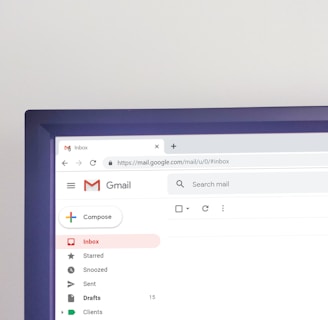
How a Virtual Assistant Can Manage Your Inbox Like a Pro
Take back your time, reduce stress, and never miss an important email again.
Email is one of the most essential communication tools in business, but it's also one of the biggest productivity killers. The average business owner receives dozens—or even hundreds—of emails every day. Between client inquiries, newsletters, invoices, follow-ups, spam, and internal communications, it's easy for your inbox to become overwhelming.
If you find yourself spending hours sorting through emails instead of focusing on growing your business, it may be time to consider hiring a Virtual Assistant (VA).
A skilled Virtual Assistant can transform your inbox from a source of stress into an organized productivity hub. In this article, we'll explore how a VA manages email professionally and why inbox management is one of the smartest tasks to delegate.
Why Inbox Management Matters
Your inbox is often the first point of contact between your business and your customers. Delayed responses, missed emails, or poor organization can lead to:
Lost sales opportunities
Unhappy clients
Missed deadlines
Increased stress
Lower productivity
A well-managed inbox helps you stay responsive, organized, and focused on high-value work.
What Does a Virtual Assistant Do for Your Inbox?
A Virtual Assistant doesn't simply delete spam—they create an efficient system that keeps your email under control.
Here are the key ways they help.
1. Organize Your Inbox
One of the first things a VA does is organize your emails into a logical system.
They can:
Create folders and labels
Set up categories
Archive old emails
Separate personal and business correspondence
Build an easy-to-follow filing system
Instead of scrolling through hundreds of emails, you'll know exactly where everything belongs.
2. Filter Spam and Unwanted Emails
Every day, inboxes are flooded with:
Promotional emails
Spam
Unnecessary newsletters
Marketing offers
Your VA can unsubscribe from unwanted mailing lists, block spam, and filter low-priority emails before they ever reach your attention. This keeps your inbox clean and distraction-free.
3. Prioritize Important Messages
Not every email deserves immediate attention.
A Virtual Assistant learns how to identify:
Urgent client requests
High-value leads
Vendor communications
Team updates
Time-sensitive opportunities
Priority emails are flagged so you can focus on what truly matters.
4. Respond to Routine Emails
Many daily emails are repetitive.
Examples include:
Appointment confirmations
Frequently asked questions
Customer inquiries
Pricing requests
Follow-up messages
With your approval and clear guidelines, your VA can respond professionally on your behalf, ensuring timely communication while saving you valuable time.
5. Schedule Meetings
Instead of going back and forth trying to find available meeting times, your VA can:
Check your calendar
Coordinate schedules
Send meeting invitations
Confirm appointments
Reschedule when necessary
This eliminates unnecessary email exchanges and keeps your calendar organized.
6. Flag Urgent Issues
Some emails require immediate attention.
Your VA can notify you instantly when they receive:
Client complaints
Payment issues
Contract approvals
Legal documents
Partnership opportunities
Emergency requests
You stay informed without constantly checking your inbox.
7. Keep Your Inbox at Zero (or Close to It)
Many professionals strive for "Inbox Zero," where every email has been:
Read
Filed
Responded to
Delegated
Deleted
A Virtual Assistant maintains this system consistently, helping prevent email overload from building up.
8. Create Email Templates
Many businesses answer the same questions repeatedly.
Your VA can create templates for:
Welcome emails
Follow-up emails
Appointment confirmations
Customer support replies
Thank-you messages
Invoice reminders
Templates improve response time while maintaining consistency and professionalism.
9. Follow Up on Important Conversations
Business opportunities are often lost because nobody follows up.
A Virtual Assistant can monitor conversations and remind you to:
Reply to prospects
Follow up with clients
Check on unpaid invoices
Send project updates
Reconnect with leads
Consistent follow-up builds stronger relationships and increases conversions.
10. Protect Your Time
Perhaps the greatest benefit of hiring a Virtual Assistant is protecting your most valuable resource—your time.
Imagine gaining back several hours each week by no longer managing every email yourself.
Those hours can be invested in:
Growing your business
Meeting clients
Developing new services
Strategic planning
Spending time with family
Delegating inbox management allows you to focus on tasks that generate the greatest impact.
Signs You Need a Virtual Assistant for Email Management
You may benefit from a VA if you:
Spend more than an hour each day checking emails
Frequently miss important messages
Forget to follow up with clients
Feel overwhelmed by your inbox
Have thousands of unread emails
Constantly switch between work and email
Miss opportunities because of delayed responses
If any of these sound familiar, it's time to delegate.
Best Practices Your VA Can Implement
An experienced Virtual Assistant can also introduce smarter email habits, including:
Using filters and automation
Creating color-coded labels
Organizing emails by client or project
Setting response-time goals
Reducing unnecessary notifications
Scheduling dedicated email review times
Maintaining a clean, searchable inbox
These systems keep communication efficient and organized over the long term.
The Business Benefits of Delegating Email Management
Hiring a Virtual Assistant for inbox management can provide measurable advantages:
Faster response times
Improved customer satisfaction
Better organization
Fewer missed opportunities
Reduced stress
Increased productivity
More time for revenue-generating activities
Better work-life balance
Rather than spending your day buried in emails, you can focus on growing your business with confidence.
Your inbox shouldn't control your day. A professional Virtual Assistant does more than organize emails—they create systems that improve communication, increase efficiency, and help your business run more smoothly. Whether you're a busy entrepreneur, coach, consultant, or small business owner, delegating inbox management is one of the easiest ways to reclaim your time and reduce daily stress. Instead of reacting to every email, you'll have the freedom to focus on what you do best: leading and growing your business.
Ready to take control of your inbox and reclaim your time?
Let a professional Virtual Assistant handle your email management so you can focus on growing your business—not sorting through endless messages.
Whether you need help organizing your inbox, responding to routine emails, scheduling appointments, or keeping important conversations on track, we're here to help.


Send an Email
Stay Updated
Stay Connected
Set Appointment


or Scan here